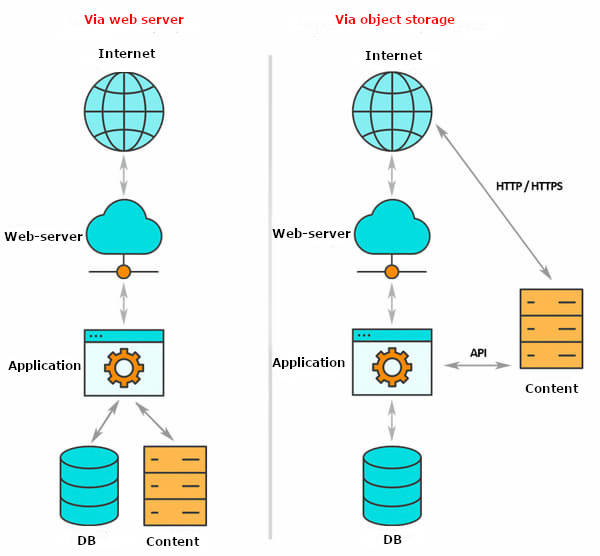
Cloud4U Object Storage is an S3-compatible storage service built on the Cloudian platform. It stores data as distinct objects in a flat namespace, ideal for scalable and resilient storage of unstructured data.
Key Features
-
S3 Compatibility: Fully supports the Amazon S3 API protocol.
-
Flat Structure: Data is stored as individual objects without a traditional directory hierarchy.
-
Multiple Access Methods: Manage your data through a web-based admin panel, directly via API, or using any S3-compatible client.
-
Scalable: Designed for massive scale, storing data across a resilient pool.
1. Accessing the Administration Panel
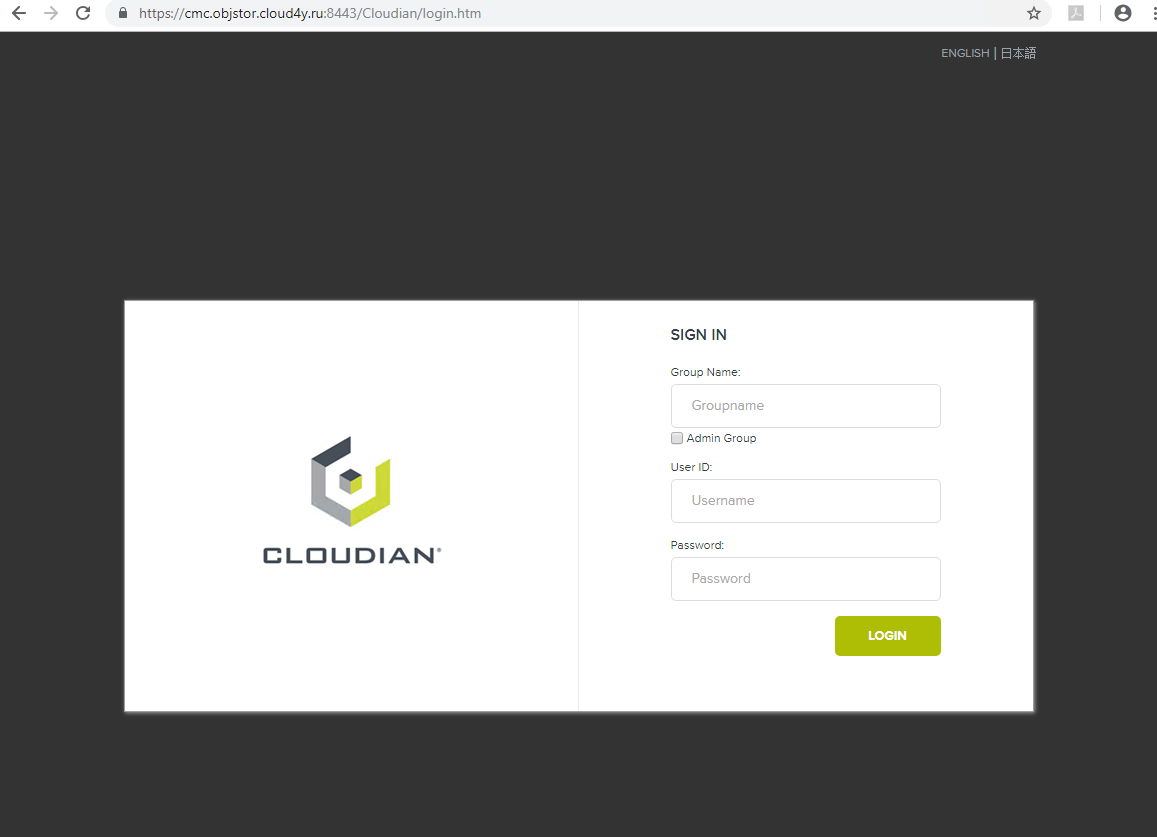
You can manage your storage through the Cloudian Management Console (CMC).
-
URL:
https://cmc.objstor.cloud4u.com:8443/ -
Credentials: Use the username and password provided by technical support after you purchase the service.
In the admin panel, you can:
-
View usage statistics and dashboard information.
-
Create and manage buckets and objects.
-
Generate S3 access keys.
-
Update your user profile.
2. Generating S3 Credentials
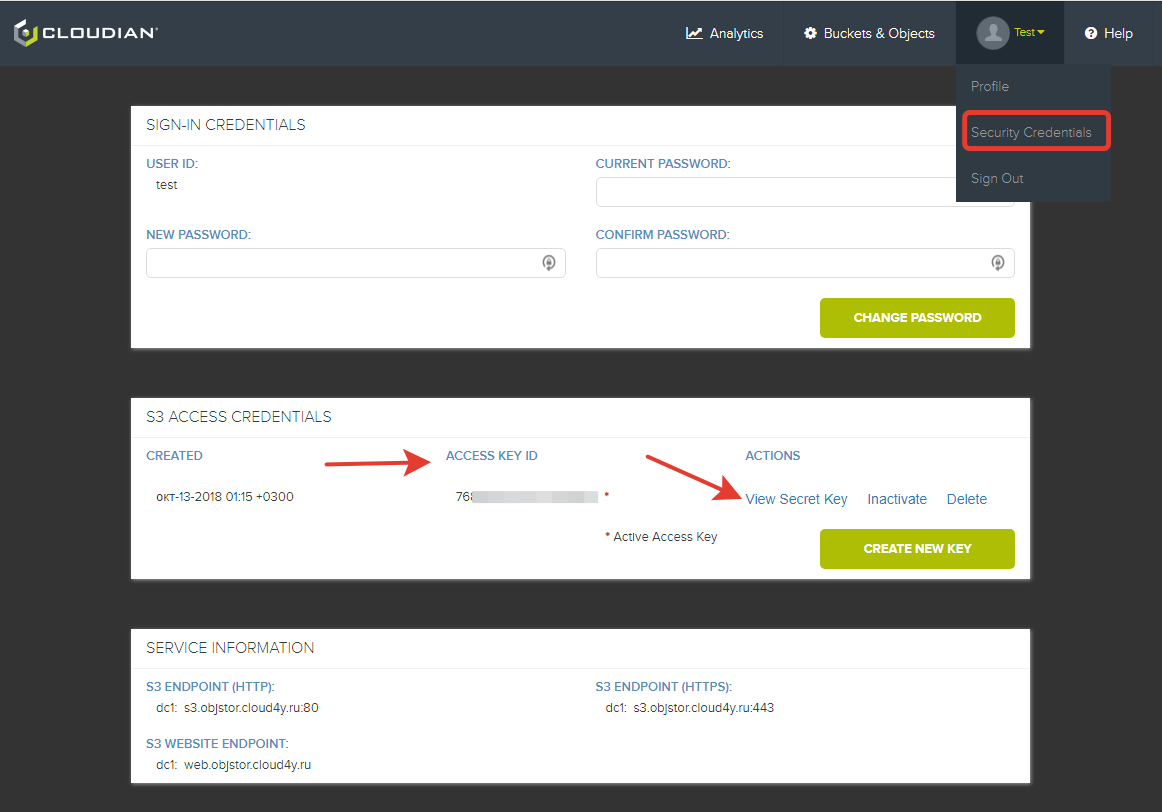
To connect via API or S3 clients, you need access keys.
-
Log in to the admin panel (
https://cmc.objstor.cloud4u.com:8443/). -
Navigate to the S3 Access or similar tab in your user profile.
-
Generate your Access Key ID and Secret Key.
-
Treat your Secret Key like a password and keep it confidential.
-
3. Connection Information
Use the following endpoints and your credentials to connect to the service:
| Connection Type | Endpoint |
|---|---|
| S3 HTTP Endpoint | s3.objstor.cloud4u.com:80 |
| S3 HTTPS Endpoint | s3.objstor.cloud4u.com:443 |
Supported Clients: You can use any S3-compatible tool like:
-
Cyberduck, Rclone, AWS CLI
-
Code with any AWS SDK (e.g., for Python, Java, JavaScript)
4. Important Limitations & Notes
-
Maximum Object Size: A single object cannot exceed 4 GB.
-
Unique Names:
-
Your username is unique across the entire cluster.
-
Each bucket name must also be globally unique within the cluster.
-
-
Access Control: Buckets are private by default. Access is controlled via policies and is only possible through the object's unique URI (URL).
-
Data Structure: Remember, object storage uses a flat namespace. While tools may simulate folders, they are actually just part of the object's key (name).